
Gift Box

The Gift Box[1] is a game mechanic in Bloons TD 6 that allows the player to unlock certain Towers by popping Bloon layers in most game modes. This feature available by clicking the red gift box at the main menu, and is unlocked at level 30.
The following towers can be unlocked by the Gift Box:
- Dartling Gunner (3,000,000 pops)
- Beast Handler (3,000,000 pops)
- Mermonkey (3,000,000 pops)
- Desperado (3,500,000 pops)
- Skywarden (3,500,000 pops)
Other than the Gift Box, they cannot be unlocked in any other way except by an in-app purchase that in addition to unlocking the tower immediately it also provides all their upgrades, a Tier 5 Insta Monkey of each path and exclusive cosmetic items. These Towers also have a corresponding trial Quest that allows the player to test them before unlocking, and they can also be played if obtained in Legends. Towers unlocked at the Gift Box will still need Tower XP to unlock their upgrades.
In the Gift Box menu, the players can see the pop requirement and their current progress towards each tower. Any pop obtained will only count towards one tower at the time (defaults to Desperado), but the players can switch to another tower by selecting it in the Gift Box menu, any previously obtained progress is saved. Once enough pops are obtained, the main menu Gift Box will shine and bounce around, and once clicked, it will show an unlock animation for the selected tower.
Obtaining Pops
editA pop is obtained every time a Bloon layer is destroyed, regardless the health of the layer (e.g. Ceramics and above), and it is different from the Damage counter that the tower shows normally in the menu when selected. For example, a Ceramic Bloon (before round 81) has an RBE of 104 but will only count towards 95 pops because of the health of the ceramic layer. Layers will also be fully counted for attacks that skip layers or insta-kills (e.g. Monkey Pirates Takedown ability).

|
This section is in need of research. You can help out by editing this article or discussing your findings on the talk page. The editor who added this notice elaborates: Confirm that the following game modes provide / do not provide pops: Contested Territory, Boss Rush, Co-op Daily Challenge, Race Event, Boss Bloon Event |
Pops in certain game modes do not contribute towards tower unlocks, the table below enlists them:
| Provide pops | Does not provide pops |
|---|---|
|
Players can see the amount of pops obtained in the current game in the Advanced Tower Performance panel of each tower or Pop Count statistic in the Advanced Info after the game is finished, but it may report numbers lower than actual results due to a player retrying a round, using a continue or going back to a prior checkpoint.
As of version 53.2, regenerated layers from Regrow Bloons count towards the pop count at an identical rate to any other Bloon. Creating a regrow farm that can be defended for a substantial (or perhaps infinite) amount of time then will allow a player to easily obtain the required pops to unlock the desired towers. A cheap way to create such setup is to farm until round 42 (or any other round with a high amount of Regrow Bloons), then use a Downdraft Heli Pilot to pop the keep some of the Bloons in place and pop their exterior layers to create multiple children that can regenerate later, and cleanup towers such as an Ice Shards alongside a Ring of Fire to pop the Bloons that escape when the Heli gets pierce capped.
Update history
edit
|
This article or section uses Cargo to generate its content. It will automatically fill up as other articles are completed. To add to this section, create the articles it is looking up. Do not add content to this section manually and do not remove this notice until you are sure this section is complete. |
 Dartling Gunner pop requirement to unlock increased ― 500,000 → 3,000,000
 Beast Handler unlock requirement changed ― Complete Epic Beast Quest → 3,000,000 pops
- Popping Bloons in Quests no longer counts towards unlocking towers from the Gift Box (bug fix)
- Sheriff no longer appears in the Gift Box menu when playing offline (bug fix)
Gallery
editMain Menu
edit-
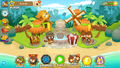 The Gift Box menu is accessible by clicking in the red box.
 -
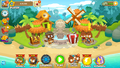 When a Tower can be unlocked, the Gift Box will shine and jump around.


Available towers
edit-
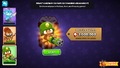 Dartling Gunner
 -
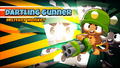 Dartling Gunner unlocked
 -
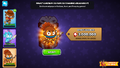 Beast Handler
 -
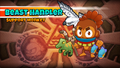 Beast Handler unlocked
 -
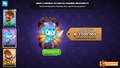 Mermonkey
 -
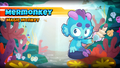 Mermonkey unlocked
 -
 Desperado
 -
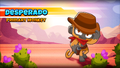 Desperado unlocked


Notices in the tower upgrade menu
edit-
 Unlock in progress.
 -
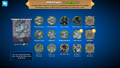 The player has earned enough pops but the tower hasn't been unlocked yet. The link to the in-app purchase is missing but the player can still access it from the Shop.
 -
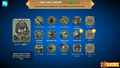 Tower is not currently selected in the Gift Box menu.
 -
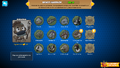 The current game mode does not provide pops.


Assets
edit-
 Icon
Icon -
 Top of the Gift Box
 -
 Bottom of the Gift Box


References
edit- ↑ When viewing the tower upgrades screen while all pop requirements are met, the message reads this in English: “You have unlocked this tower! Collect it from the Gift Box on the Main Menu!”