Bloons 2 (mobile): Difference between revisions
mNo edit summary |
→In-app purchases: I hope adding jailbreak-only advice is ok |
||
| Line 58: | Line 58: | ||
==In-app purchases== | ==In-app purchases== | ||
Note that the "Restore Purchases" button will stop Bloons 2 on iOS from launching if pressed, effectively preventing the game from running on said device. This problem does not exist on Android.<!--I previously purchased infinite skips on said save, unsure if it bricks even without a purchase--> | Note that the "Restore Purchases" button will stop Bloons 2 on iOS from launching if pressed, effectively preventing the game from running on said device. If this issue arises and the device is jailbroken, accessing the LastLaunchServicesMap.plist file at the directory of /var/installd/Library/MobileInstallation and deleting the entry for Bloons 2 in said file fixes the problem. This problem does not exist on Android.<!--I previously purchased infinite skips on said save, unsure if it bricks even without a purchase. This was fixed when I accessed the described directory.--> | ||
{|class="wikitable" | {|class="wikitable" | ||
!Thumbnail | !Thumbnail | ||
| Line 111: | Line 111: | ||
|- | |- | ||
|} | |} | ||
==Unused content== | ==Unused content== | ||
In the game files, there are icons indicating that an Unlimited Dart mode and a level editor were planned at some point. These features did not make it in the final release. | In the game files, there are icons indicating that an Unlimited Dart mode and a level editor were planned at some point. These features did not make it in the final release. | ||
Revision as of 01:33, 17 March 2025

|
| iOS app icon since version 1.1 |
| Developer(s) | Digital Goldfish Miniclip (Android) | |||
|---|---|---|---|---|
| Publisher(s) | Ninja Kiwi (iOS) Miniclip (Android) | |||
| Platform(s) | iOS, Android | |||
| Latest update | 1.1.2 (iOS) 1.0 (Android) | |||
| Release dates | ||||
|---|---|---|---|---|
| App Store | 15 December 2011[1] | |||
| Google Play | 11 March 2013[2] | |||
| Language(s) supported |
|---|
English
|
Bloons 2 (also called Bloons 2 Mobile and Bloons 2 Mobile Edition[3] to distinguish it from the original), is a mobile game in the Bloons series based on the Flash version of Bloons 2. It was first published by Ninja Kiwi on iOS in 2011, then an Android port was developed and published by Miniclip in 2013.[4] This version runs on a different engine and replaces or heavily modifies most of the levels from the Flash version.
The iOS version is 32-bit and thus, most devices cannot run it, as the game does not run on iOS 11 and above. Despite this, the game is still available for download on the app store on iOS 10 and earlier devices. The Android version is delisted and can no longer be installed from the Play Store.
List of levels
Differences between versions
Differences from the Flash version
- Lack of the Unlimited Darts mode on the mobile version.
- Different control scheme, instead of the power of a throw oscillating over time when holding the left mouse, power is instead determined by how far the player swipes away from the monkey.
- Each zone just plays the main menu theme instead of their unique themes from the Flash version.
- The mobile version has different content from the Flash version, as many levels are replaced entirely with new levels that typically require less reaction speed and precision, and Pirate Cove has 8 more total levels than the Flash version. However, some levels are very similar in concept or are virtually the same level, barring a few tiles.
- Help tab that explains everything in the game on the mobile version.
- For some mechanics, when the player first encounters a mechanic, there will be a popup explaining said mechanic.
- Zones and levels are selected by swiping left and right between a menu instead of having them all displayed at the same time. Levels and zones still unlock in a linear fashion.
- Game Center Achievements and leaderboards (based on the total high score across all levels in the entire game/zone).
- Pirate Cove has 12 levels instead of 4.
- Players only start with one skip and one solution, and do not gain extras by completing each zone.
Differences between the iOS and Android versions
- Lack of leaderboards and achievements in the Android version.
- The Achievements button on the main menu is instead replaced with "Rate Game" on Android.
- There is no advertisement for BTD5 on Android.
- There is an additional loading screen for Miniclip that plays before Digital Goldfish's loading screen in the Android version.
- Similarly, the More Games button links to Miniclip's webpage instead of Digital Goldfish's webpage.
External services
Game Center
Bloons 2 iOS has achievements and leaderboards enabled through Game Center. This is not present in the Android version. Furthermore, scores will not show up when looking at achievements through Game Center on iOS 14 and above.
In-app purchases
Note that the "Restore Purchases" button will stop Bloons 2 on iOS from launching if pressed, effectively preventing the game from running on said device. If this issue arises and the device is jailbroken, accessing the LastLaunchServicesMap.plist file at the directory of /var/installd/Library/MobileInstallation and deleting the entry for Bloons 2 in said file fixes the problem. This problem does not exist on Android.
| Thumbnail | Name/description | Price in USD | Notes |
|---|---|---|---|
| Instant Solution A single use, instantly accessible solution. |
$0.99 | Adds one solution. Functionally useless if Infinite Solutions is purchased. | |
| Hourly Solutions All out? A new solution will generate every 60 minutes. |
$1.99 | Functionally useless if Infinite Solutions is purchased. | |
| Infinite Solutions Never run out of solutions again! |
$3.99 | Functionally useless if Infinite Solutions and Skips is purchased. | |
| Instant Skip A single use, instantly accessible skip. |
$0.99 | Adds one skip. Functionally useless if Infinite Skips is purchased. | |
| Hourly Skips All out? A new skip will generate every 60 minutes. |
$2.99 | Functionally useless if Infinite Skips is purchased. | |
| Infinite Skips Never run out of skips again! |
$5.99 | Functionally useless if Infinite Solutions and Skips is purchased. | |
| Instant Solution and Skip A single use, instantly accessible solution and skip. |
$1.99 | Adds one solution and skip. Functionally useless if Infinite Solutions and Skips is purchased. | |
| Hourly Solutions and Skips All out? A new solution and skip will generate every 60 minutes. |
$3.99 | Functionally useless if Infinite Solutions & Skips is purchased. | |
| Infinite Solutions and Skips Never run out of solutions or skips again! |
$7.99 |
Unused content
In the game files, there are icons indicating that an Unlimited Dart mode and a level editor were planned at some point. These features did not make it in the final release.
Gallery
-
 iOS app icon before v1.1
 -
 Android app icon
 -
 Google Play image 1
 -
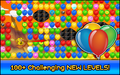 Google Play image 2
 -
 Google Play image 3
 -
 Google Play image 4
 -
 Miniclip promotional image


Trailer
References
- ↑ In the files of the iOS version, iTunesMetadata.plist contains this timestamp.
- ↑ "Google Play page". Archived from the original on 16 September 2013.
- ↑ "Bloons 2 Mobile Edition - Ninja Kiwi". Archived from the original on 2 April 2019.
- ↑ "Miniclip page". Archived from the original on 11 March 2013.
External links
Navigation
| Bloons games | ||||||||||||||||||
|---|---|---|---|---|---|---|---|---|---|---|---|---|---|---|---|---|---|---|
| ||||||||||||||||||