Bloons TD Battles 2

|
| Logo introduced in version 4.0 |
| Developer(s) | Ninja Kiwi Europe[1] | |||
|---|---|---|---|---|
| Publisher(s) | Ninja Kiwi | |||
| Platform(s) | iOS, Android, Windows, macOS | |||
| Latest update | Version 4.12 | |||
| Release dates | ||||
|---|---|---|---|---|
| Google Play | 25 November 2021 | |||
| Steam | 30 November 2021 | |||
| App Store | 30 November 2021 | |||
| Language(s) supported |
|---|
English
Danish German Spanish Finnish French Italian Japanese Korean Dutch Norwegian Portuguese (Brazil) Russian Swedish Turkish Chinese (traditional) |
Bloons TD Battles 2 (officially abbreviated as Battles 2 and often unofficially abbreviated as BTDB2) is a free-to-play competitive multiplayer game in the Bloons TD series. It is a sequel to Bloons TD Battles that uses the general framework, towers, upgrades, Bloons, and mechanics of Bloons TD 6, in the same way that Battles 1 is heavily based on Bloons TD 5. It incorporates many mechanics that debuted in BTD6, including Heroes, tier 5 upgrades, and third upgrade paths.
An alternative version titled Bloons TD Battles 2+ is available on Apple Arcade. It is mostly the same game and supports cross-platform play, but removes all the in-app purchases, features limited offline support, and provides most features that are normally only obtainable through in-app purchases.
Gameplay
[edit | edit source]
Bloons TD Battles 2 has very similar gameplay to Bloons TD Battles, but with features and mechanics from Bloons TD 6. Each match is played with two players who control opposite sides of a symmetrical map that is split vertically down the middle. Each player starts with 650 cash, 250 income, and 150 lives. Instead of earning cash by popping Bloons, each player gains cash equivalent to their current income every 6 seconds. Each player can spend cash to place and upgrade towers on their side of the map, primarily to defend against the waves of Bloons that appear on their side's paths. Each player can also spend cash on Bloon sends to send additional Bloons to the opponent's side of the map, which also modifies the sender's income (usually increasing it).
Before a match begins, the game selects a random map and each player selects their Hero. Each player has the option to reroll the map one time; if a map was selected on a previous roll, it cannot be re-rolled for that match again. Next, each player chooses three towers to add to their loadout. Once both players have created their loadout, the match begins.
When a match begins, there is a 6-second grace period for players to place towers before the first round starts. On each round, both sides spawn the same "natural Bloons", which are roughly equivalent to the Bloons on the even-numbered rounds in Bloons TD 6. Normally, the next round starts seconds after all natural Bloons from the previous round have spawned, but if one player pops all natural Bloons, the delay is reduced to 4 seconds flat, and if both players pop all natural Bloons, the delay is reduced to 2 seconds flat (though the delay will be extended if the round would last for less than the minimum of 5.5 seconds total). As the rounds progress, the natural Bloons become stronger and both sides unlock stronger Bloon sends. Some rounds also unlock Bloon Mods that can be applied to Bloon sends. There are multiple ways for the match to end:
- The first player to run out of lives loses the match.
- If both players run out of lives on the exact same frame, the match ends in a "draw", but it is considered a loss for both players.
- If round 40 passes and the players have a different number of lives from each other, the player with fewer lives loses the match.
- If round 40 passes and the players have the same number of lives, the game enters Sudden Death and continues for 10 more rounds. If round 50 passes without either player losing a life, the match ends in a "draw", but it is considered a win for both players.
- At any time, a player can surrender to end the match in a loss early.
- If a player disconnects, that player loses the match.
By playing matches, players earn Monkey Money, Tower XP, and Hero Points that can be used to unlock more towers, tier 5 upgrades, Heroes, Hero Alts, and other features.
Bloon sends
[edit | edit source]Players can use Bloon sends during a match to send additional Bloons to the opponent's side. Most Bloon sends also increase the user's income, providing additional cash over time, though MOAB-Class Bloon sends reduce income or have no effect on income instead. More types of Bloon sends become available as a match progresses, and older Bloon sends are removed to make room.
| Name | Amt. | Rounds | Cost | Income | Duration | Income per cost | Cost per sec. | Income per sec. |
|---|---|---|---|---|---|---|---|---|
| Grouped Red | 8 | 1–11 | $20 | 1 | 0.8s | 0.05 | $25 | 1.25 |
| Spaced Blue | 5 | 1–2 | $15 | 0.8 | 1.5s | 0.0533333 | $10 | 0.533333 |
| Spaced Green | 5 | 2–4 | $18 | 0.9 | 1.15s | 0.05 | $15.6522 | 0.782609 |
| Grouped Blue | 6 | 3–12 | $24 | 1.1 | 0.6s | 0.0458333 | $40 | 1.83333 |
| Spaced Yellow | 5 | 3–6 | $24 | 1.2 | 1.15s | 0.05 | $20.8696 | 1.04348 |
| Spaced Pink | 3 | 4–8 | $28 | 1.4 | 0.9s | 0.05 | $31.1111 | 1.55556 |
| Grouped Green | 5 | 5–16 | $35 | 1.4 | 0.4s | 0.04 | $87.5 | 3.5 |
| Spaced White | 3 | 5–9 | $30 | 1.5 | 0.84s | 0.05 | $35.7143 | 1.78571 |
| Spaced Black | 3 | 6–9 | $33 | 1.6 | 0.75s | 0.0484848 | $44 | 2.13333 |
| Grouped Yellow | 4 | 7–19 | $40 | 1.6 | 0.24s | 0.04 | $166.667 | 6.66667 |
| Spaced Purple | 4 | 8–10 | $70 | 3.3 | 1.2s | 0.0471429 | $58.3333 | 2.75 |
| Grouped Pink | 4 | 9+ | $60 | 2.3 | 0.2s | 0.0383333 | $300 | 11.5 |
| Spaced Zebra | 2 | 9–10 | $60 | 2.7 | 0.6s | 0.045 | $100 | 4.5 |
| Grouped White | 5 | 10–21 | $75 | 2.5 | 0.35s | 0.0333333 | $214.286 | 7.14286 |
| Grouped Black | 5 | 10–25 | $85 | 2.9 | 0.4s | 0.0341176 | $212.5 | 7.25 |
| Spaced Lead | 2 | 10–11 | $60 | 2.8 | 2s | 0.0466667 | $30 | 1.4 |
| Grouped Purple | 5 | 11+ | $115 | 2.9 | 0.175s | 0.0252174 | $657.143 | 16.5714 |
| Grouped Zebra | 3 | 11–29 | $120 | 3.5 | 0.24s | 0.0291667 | $500 | 14.5833 |
| Grouped Lead | 4 | 12–22 | $150 | 4.5 | 0.6s | 0.03 | $250 | 7.5 |
| Spaced Rainbow | 1 | 12–12 | $70 | 2.8 | 0.35s | 0.04 | $200 | 8 |
| Grouped Rainbow | 4 | 13+ | $250 | 6 | 0.4s | 0.024 | $625 | 15 |
| Spaced Ceramic | 1 | 13–15 | $150 | 5 | 0.65s | 0.0333333 | $230.769 | 7.69231 |
| Grouped Ceramic | 2 | 16–23 | $350 | 5 | 0.22s | 0.0142857 | $1590.91 | 22.7273 |
| Spaced MOAB | 1 | 17–18 | $1,000 | 0 | 3s | 0 | $333.333 | 0 |
| Grouped MOAB | 1 | 19–24 | $900 | 0 | 0.5s | 0 | $1800 | 0 |
| Spaced BFB | 1 | 20–21 | $1,600 | -25 | 3.5s | -0.015625 | $457.143 | -7.14286 |
| Grouped BFB | 1 | 22–26 | $1,300 | -25 | 0.6s | -0.0192308 | $2166.67 | -41.6667 |
| Spaced ZOMG | 1 | 22–23 | $5,000 | -100 | 6s | -0.02 | $833.333 | -16.6667 |
| Tight Lead | 60 | 23+ | $1,200 | 7 | 1.5s | 0.00583333 | $800 | 4.66667 |
| Tight Ceramic | 30 | 24+ | $3,200 | 0 | 0.9s | 0 | $3555.56 | 0 |
| Grouped ZOMG | 1 | 24–25 | $4,500 | -100 | 1s | -0.0222222 | $4500 | -100 |
| Tight MOAB | 15 | 25+ | $4,500 | -50 | 1s | -0.0111111 | $4500 | -50 |
| Grouped ZOMG | 1 | 26–29 | $4,500 | -100 | 1s | -0.0222222 | $4500 | -100 |
| Spaced DDT | 1 | 26–27 | $2,500 | -150 | 1.4s | -0.06 | $1785.71 | -107.143 |
| Tight BFB | 10 | 27+ | $10,000 | -150 | 1.2s | -0.015 | $8333.33 | -125 |
| Grouped DDT | 3 | 28+ | $6,250 | -200 | 0.6s | -0.032 | $10416.7 | -333.333 |
| Tight ZOMG | 4 | 30+ | $12,000 | -400 | 1.2s | -0.0333333 | $10000 | -333.333 |
| Spaced BAD | 1 | 30–31 | $15,000 | -400 | 7s | -0.0266667 | $2142.86 | -57.1429 |
| Grouped BAD | 1 | 32+ | $15,000 | -400 | 1s | -0.0266667 | $15000 | -400 |
Players can also add Bloon Mods to their Bloon sends, though it increases their cost. Additionally, MOAB-Class Bloon sends with the Fortified modifier reduce income by twice as much. Multiple Bloon Mods have their cost modifiers stacked multiplicatively.
| Icon | Name | Cost | Round unlocked |
|---|---|---|---|

|
Regrow | ×1.6 | 8 |

|
Camo | ×1.75 | 12 |

|
Phayze | ×1.75 | 15 |

|
Fortified | ×2 | 18 |
Boosts
[edit | edit source]Each player has two types of boosts that can be used during a match at any time they are off cooldown. Each boost can be used up to three times per match.
 Tower Boost: Reduces the attack cooldown of all of the user's towers by 40%, increasing their attack speed by ~66%, for 12 seconds. Starts the match with a 20-second cooldown and has a 40-second cooldown after each use.
 Bloon Boost: Increases the speed of all Bloons sent to the opponent by 33% for 12 seconds. Starts the match with a 22.5-second cooldown and has a 30-second cooldown after each use.
Arenas
[edit | edit source]Arenas are a ranking system where players can play League Battles each week to earn trophies and rank in their Arena League, which is a leaderboard of 30 players. Players can progress to the next Arena if they place high enough in their League when the week ends, or they can skip to the next Arena immediately by getting a 10-win streak. Players who place too low in the League will demote to the previous Arena at the end of the week, though players cannot return to Red Bloon Camp after leaving it. Upon reaching the Hall of Masters, players can play League Battles to rank on the global Season Leaderboard, which resets at the end of each Season.

|
Red Bloon Camp |

|
Yellow Stadium |

|
White Wasteland |

|
Lead Dungeon |

|
Ceramic Crucible |

|
MOAB Pit |

|
BFB Colosseum |

|
ZOMG Superdome |

|
Hall of Masters |
Seasons
[edit | edit source]Seasons are events that rotate every 28 days. Each Season introduces new cosmetic items that are unlocked by earning Golden Bananas to progress a rewards track. At the end of each Season, all players that participated earn a medal based on the highest Arena they reached. Players in the Hall of Masters can earn higher-tier medals based on their placement in the global Season Leaderboard.
Currencies and resources
[edit | edit source]| Icon | Name | Use |
|---|---|---|

|
Monkey Money | Unlocks towers, tier 5 upgrades, Heroes, and cosmetic items, and can be spent to create Clans or be converted to Golden Bananas. |

|
Tower XP | Unlocks Monkey Mastery and Monkey Prestige cosmetic items. |

|
Hero Points | Unlocks Hero Alts and Hero Reward cosmetic items. |

|
Reward Boosts | Exclusive to the Windows and macOS releases. Can be spent to gain the bonuses that video ads on iOS and Android provide. |

|
Golden Bananas | Progresses the Season rewards track. |
Clans
[edit | edit source]Clans are customizable groups of up to 25 players. Clans can participate in weekly Clan War events to compete with other Clans on a leaderboard by playing matches in War Arenas and earning Medallions. At the end of each event, Clan members earn tokens that can be invested into decorations to customize the Clan's island base. Clans that place high on the leaderboards can promote to higher leagues and unlock more decorations that can be invested in.
Limited time events
[edit | edit source]Limited time events are modes with additional modifiers called rules that rotate every 10 days, and can be played to earn additional rewards. Club Events feature combinations of two to three different rules.
 Random Quad: Both players are assigned the same random loadout instead of choosing their towers and Hero.
 Speed Battles: Bloon sends are unlocked one round earlier, all Bloons move faster, and income is given twice as fast.
 Play With Fire: Bloon sends are sent to both players and have their income modifiers doubled, and Bloon Boosts affect both sides.
 Bananza: All sources of cash are doubled, Bloon sends have their income modifiers doubled, and Sudden Death starts at round 101 instead of round 40.
 No Pain, No Gain: The costs of towers, upgrades, and Bloon sends scale with how many lives the player has left, starting at ×2 with 150 or more lives and reducing all the way to ×0.7 at one life. If lives are regenerated, the price goes up again.
 Jump Start: Starts on a random round between 10 and 30. Starting cash, starting income, and pre-game time changes based on how many rounds are skipped.
Hotkeys
[edit | edit source]| Key | Function |
|---|---|
| Q | Place Hero |
| W | Place tower in slot 1 |
| E | Place tower in slot 2 |
| R | Place tower in slot 3 |
| , | Upgrade on path 1 / level up Hero |
| . | Upgrade on path 2 / level up Hero |
| / | Upgrade on path 3 / level up Hero |
| Tab | Change targeting option to the right |
| Ctrl + Tab | Change targeting option to the left |
| Escape | Cancel/deselect |
| Enter | Confirm |
| Key | Function |
|---|---|
| Z | Regrow |
| X | Camo |
| C | Fortified |
| V | Phayze |
| A | Bloon send in slot 1 |
| S | Bloon send in slot 2 |
| D | Bloon send in slot 3 |
| F | Bloon send in slot 4 |
| G | Bloon send in slot 5 |
| H | Bloon send in slot 6 |
| J | Bloon send in slot 7 |
| K | Bloon send in slot 8 |
| L | Bloon send in slot 9 |
| ; | Bloon send in slot 10 |
| Key | Function |
|---|---|
| Space | Tower Boost |
| Ctrl + Space | Bloon Boost |
| 1–0 | Activate Ability in slots 1–10 |
| Key | Function |
|---|---|
| Ctrl + Q | Text Emote in slot 1 |
| Ctrl + W | Text Emote in slot 2 |
| Ctrl + E | Text Emote in slot 3 |
| Ctrl + R | Text Emote in slot 4 |
| Ctrl + T | Text Emote in slot 5 |
| Ctrl + Y | Text Emote in slot 6 |
| Ctrl + U | Text Emote in slot 7 |
| Ctrl + I | Text Emote in slot 8 |
| Ctrl + 1–0 | Emote in slots 1–10 |
| Key | Function |
|---|---|
| Y | Place Bloon Bot |
| U | Place Tech Bot |
| T | Place Monkey Farmer |
Towers
[edit | edit source]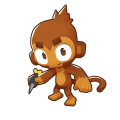
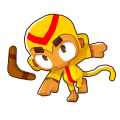
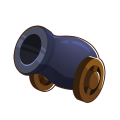
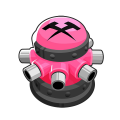



Magic
[edit | edit source]


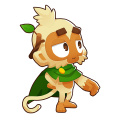



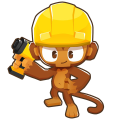
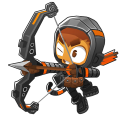
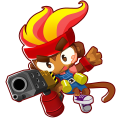






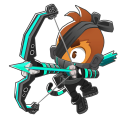

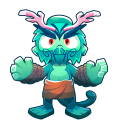
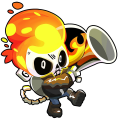


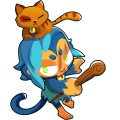


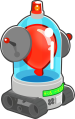
Agents
[edit | edit source]

Maps
[edit | edit source]
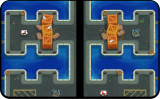
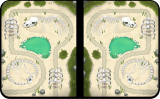
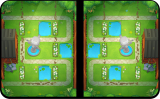
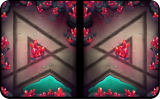
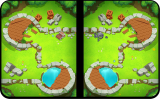
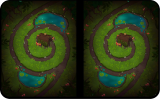
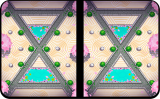
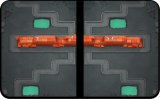
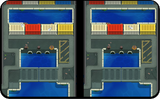
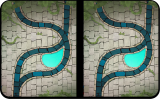
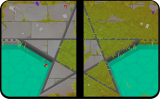
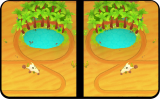
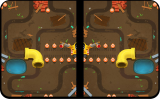
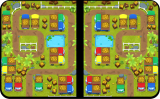
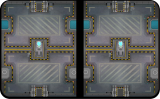
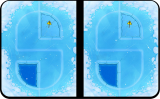
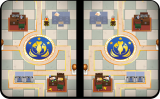
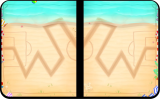
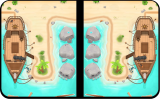
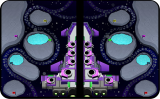
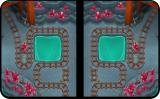
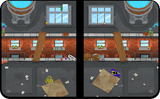
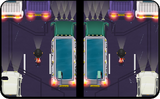
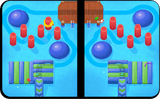
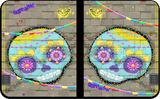
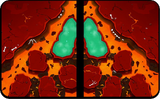
Modes
[edit | edit source] League Battle: The main battle mode where players earn trophies to rank on leaderboards and ascend to higher Arenas.
 Private Battle: Allows the player to create a private match. Club Members can create matches with custom rules and tower restrictions. Accessed from the Social menu.
 Casual Battle: A non-ranked mode with reduced rewards. Accessed from the Social menu.
 Hero Challenge: A singleplayer mode where the player defends against AI-controlled Bloon sends. Introduced to Battles 2+ at launch and later incorporated into the original game in version 4.3.
 Scientist Gwen's Bloon Lab: A sandbox mode for testing out gameplay and strategies that allows the player to freely change loadouts, rounds and other properties. Only accessible with a Club Membership.
Cosmetic customization features
[edit | edit source] Tower customization: Used to customize visual elements specific to towers and Heroes, such as animations, Weapon Skins, and Trail Effects.
 Bling: Used to customize elements not specific to any towers or Heroes, such as Bloons, Boosts, and Emotes. Bling items are primarily earned through Seasons.
- Profile: Used to customize the player's card that appears before and after a match, and in Clan leaderboards.
Monetization
[edit | edit source]Shop
[edit | edit source]

|
This section is incomplete. You can help out by expanding it. The editor who added this notice did not specify a reason. |
The Shop is a menu that contains a variety of in-game items redeemable with Monkey Money, in-app purchases, and free daily rewards.
Video ads
[edit | edit source]In the mobile releases, video ads can be watched for various rewards:
- Rerolling Season quests (max of 6 times per day)
- Opening the Daily Offers chest that refreshes every 4 hours
- Boosting the rewards at the end of each game (max of 8 times per day)
In the desktop releases, video ads are replaced with Reward Boosts.
Update history
[edit | edit source]
|
This section is empty. You can help out by adding to it. |
Removed content
[edit | edit source]- Battle Points: A secondary currency earned by playing Ranked Battles (the former name for League Battles).
- Chests: Items containing Monkey Money, Tower XP, and XP doublers that were obtained by playing Ranked Battles and could be opened by spending Battle Points.
- VIP: A paid subscription service that granted more rewards and additional features. Replaced with Club Membership in version 2.0, which is a one-time purchase instead of a subscription.
- Banana Boosts: Items purchasable with real money that boosted the player's progress for the current Season. Was merged with Club Membership.
- Universal XP: Experience that could be converted to XP for any tower. Towers could also have their XP converted to Universal XP at the cost of Monkey Money.
- Removed upgrades:
- Metal Freeze — Replaced with Cold Snap in version 1.0.6
- Centered Path — Replaced with Advanced Navigation in version 4.0.2
- Monkey Town — Replaced with Monkeyconomy in version 4.0.2
- EZ Collect — Replaced with Quality Soil in version 4.3.1
Gallery
[edit | edit source]-
 iOS app icon since version 2.2.1
 -
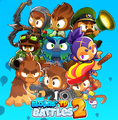 Collage of Heroes


References
[edit | edit source]- ↑ "What's Up At Ninja Kiwi? - 14th May, 2021". Reddit. Retrieved Sat, 26 Jul 2025.
External links
[edit | edit source]- Article on the PC Gaming Wiki
- Bloons TD Battles 2 on the Google Play Store
- Bloons TD Battles 2 on Steam
- Bloons TD Battles 2 on the App Store
Navigation
[edit | edit source]| Bloons TD Battles 2 and Battles 2+ | ||||||||||||||||||||||
|---|---|---|---|---|---|---|---|---|---|---|---|---|---|---|---|---|---|---|---|---|---|---|
| ||||||||||||||||||||||
| * Removed | ||||||||||||||||||||||
| Gallery • Strategies • Update history | ||||||||||||||||||||||