Team: Difference between revisions
| Line 78: | Line 78: | ||
|join on =items.id = rewards.item | |join on =items.id = rewards.item | ||
|group by=items._pageName, items.name, items.image, items.introduced, rewards.item | |group by=items._pageName, items.name, items.image, items.introduced, rewards.item | ||
|order by=items.introduced, name | |order by=items.introduced, items.name | ||
|center extra cols=y | |center extra cols=y | ||
|link to sections=y | |link to sections=y | ||
Revision as of 23:21, 13 April 2026

|
This article is a stub. You can help out by expanding it. The editor who added this notice elaborates: generally in need of expansion, missing multiple sections, and more information about how roles and status work |

Teams are a social feature in Bloons TD 6 introduced in version 32.0. They are player-created groups of up to 15 players that can participate in exclusive events. Starting at level 30, any player can join an existing Team or create their own Team for  200 Monkey Money.
Management
Roles
- The Mayor has full control over the Team. In addition to all of the abilities of Assistant Mayors, only the Mayor can change the Team's name, status, stance, emblem, banner, and island, or promote normal users to Assistant Mayors, or disband the Team. This role is automatically assigned to the creator of the Team, though it can be moved to an Assistant Mayor if the Mayor so chooses.
- Assistant Mayors can sign the Team up for Competitive mode in Contested Territory, accept or deny requests for private or invite-only Teams, and send invites.
Status
- Public: any player can join the Team.
- Private: players can request to join the Team and Mayors or Assistant Mayors can choose to let them in or not.
- Invite Only: players can only request to join if invited by another player.
- Stance: this marks if the Team is considered casual or competitive, which is used for filtering Teams in the Team Browser.
Team Store
The Team Store is an interface where members can invest Team Trophies into unlocking Team Flair. During events, the Team Store is also used unlock Relic Knowledge.
Medals
Teams have their own medals earned by participating in Contested Territory. This is in addition to the CT Local and CT Global medals that are specific to players.
Local Teams
-
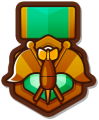 Local Teams - 4th
 -
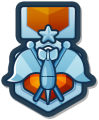 Local Teams - 3rd
 -
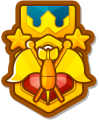 Local Teams - 2nd
 -
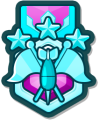 Local Teams - 1st


Global Teams
-
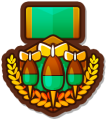 Global Teams - Top 75%
 -
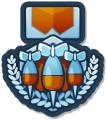 Global Teams - Top 25%
 -
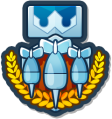 Global Teams - Top 10%
 -
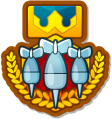 Global Teams - Top 1%
 -
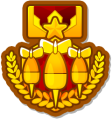 Global Teams - Top 100
 -
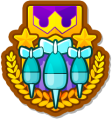 Global Teams - Top 25
 -
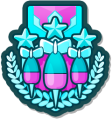 Global Teams - 3rd
 -
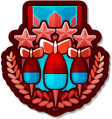 Global Teams - 2nd
 -
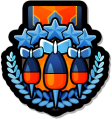 Global Teams - 1st


Customization
- Teams can have custom names up to 20 characters long, or randomized names generated by combining two random words. In Bloons TD 6 NETFLIX, mayors can only choose randomized names.
Emblem
Each Team has a customizable symbol created using an icon and a frame. All Teams start with a random icon created from these unnamed icons and frames. These frames are unlocked for all Teams by default. Other icons and frames are Team Flair items that can be bought from the Team Store.


Island
Each Team has a customizable "island" (actually an archipelago) displayed on the Team's main menu, in Contested Territory, and in Boss Rush. The island consists of one Main Building Slot, four Island Slots, one Air Slot, and one Water Slot.
- Main Building Slot — Changes the appearance of the Team's base building on their island.
- Island Slot — Props placed on the Team's island.
- Water Slot — Props placed in the water by the Team's island.
- Air Slot — Props that fly around the Team's island.
Team Flair
Team Flair are cosmetic items used to customize the Team's island, emblem, and banner. Most Team Flair items are obtained through the Team Store, except for the default items.


Team events
Contested Territory
Contested Territory is an event where six teams compete against each other to capture tiles on a grid by playing short games.
Boss Rush
Boss Rush is an event introduced in version 43.0 where team members contribute to defeating a Boss Bloon on a series of maps.
Team Browser

|
This section is empty. You can help out by adding to it. |
Gallery

|
This article or section needs more screenshots. See the screenshot guidelines for more information on what screenshots are needed and how to add them. The editor that added this notice elaborates: default team islands with the normal and winter themes |
-
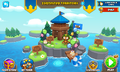 The default team island, with a party theme. (pre-v54.0)
 -
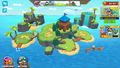 Empty Team Island, with easter theme.
 -
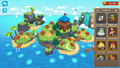 Placing a decoration in land slot
 -
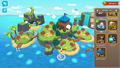 Placing a decoration in water slot
 -
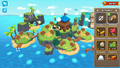 Placing a decoration in air slot


