Glaive Ricochet (BCS): Difference between revisions
Jump to navigation
Jump to search
a tip |
mNo edit summary |
||
| Line 8: | Line 8: | ||
|description=On Attack: Deal 10 Damage to all next Bloons in line | |description=On Attack: Deal 10 Damage to all next Bloons in line | ||
|class =Primary | |class =Primary | ||
|type | |type =Boomerang | ||
|rarity=Ultra Rare | |rarity =Ultra Rare | ||
|keywords =Unique | |||
|introduced=0.8.144 | |||
|cost =12 | |cost =12 | ||
| Line 16: | Line 18: | ||
|ammo =3 | |ammo =3 | ||
|reload=2 | |reload=2 | ||
}} | }} | ||
The '''Glaive Richochet'''{{sic}} is an Ultra Rare [[Monkey (BCS)|Monkey]] card in ''[[Bloons Card Storm]]''. It deals 30 [[damage]] to the target [[Bloon (BCS)|Bloon]] and 10 damage to every Bloon behind it in the opponent's Bloon queue. Only one Glaive Richochet can be in a deck. | The '''Glaive Richochet'''{{sic}} is an Ultra Rare [[Monkey (BCS)|Monkey]] card in ''[[Bloons Card Storm]]''. It deals 30 [[damage]] to the target [[Bloon (BCS)|Bloon]] and 10 damage to every Bloon behind it in the opponent's Bloon queue. Only one Glaive Richochet can be in a deck. | ||
Revision as of 05:15, 4 October 2024
For other uses, see Glaive Ricochet (disambiguation).

|
The subject of this article is in development or has yet to release and may change dramatically over time. This article will likely become outdated as more information is released. You can help Blooncyclopedia out by keeping it up-to-date. |
Glaive Richochet

|
| On Attack: Deal 10 Damage to all next Bloons in line |
| Class |  Primary Primary
| |
|---|---|---|
| Card Pack | ||
| Rarity | Ultra Rare | |
| Keywords | Unique | |
| Introduced | Version 0.8.144 | |
| Stats | |||
|---|---|---|---|
| Cost |  12 12
|
Ammo | 3 |
| Charges | 1 | ATK | 30 |
| Type | Boomerang | Reload | 2 |
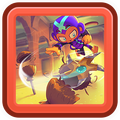
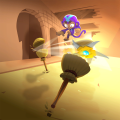
The Glaive Richochet[sic] is an Ultra Rare Monkey card in Bloons Card Storm. It deals 30 damage to the target Bloon and 10 damage to every Bloon behind it in the opponent's Bloon queue. Only one Glaive Richochet can be in a deck.
Tips
Update history
Gallery

|
This article or section needs more screenshots. See the screenshot guidelines for more information on what screenshots are needed and how to add them. |
-
 Icon
Icon -
 Placeholder art


