The Big One (BCS): Difference between revisions
Jump to navigation
Jump to search
mNo edit summary |
Overclockbtd (talk | contribs) mNo edit summary |
||
| Line 21: | Line 21: | ||
}} | }} | ||
'''The Big One''' is a [[Military]] [[Monkey (BCS)|Monkey]] [[card]] in ''[[Bloons Card Storm]]''. Instead of its attacks being controlled by the player, it automatically attacks a random [[Bloon (BCS)|Bloon]] on the opponent's side at the end of the player's turn. Only one copy of The Big One can be in a deck. | '''The Big One''' is a [[Military]] [[Monkey (BCS)|Monkey]] [[card]] in ''[[Bloons Card Storm]]''. Instead of its attacks being controlled by the player, it automatically attacks a random [[Bloon (BCS)|Bloon]] on the opponent's side at the end of the player's turn. Only one copy of The Big One can be in a deck. | ||
== Tips == | |||
{{Stub}} | |||
== Update history == | |||
{{BCS change list by name|The Big One}} | |||
==Gallery== | ==Gallery== | ||
Revision as of 05:44, 22 November 2024
For other uses, see The Big One (disambiguation).
The Big One

|
| Does not attack normally On Turn End: Randomly attacks an enemy Bloon |
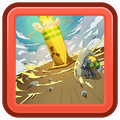
| With a boom so powerful it bends the sky. |
| Class |  Military Military
| |
|---|---|---|
| Card Pack | ||
| Rarity | Ultra Rare | |
| Keywords | On Turn End, Unique | |
| Introduced | Launch | |
| Stats | |||
|---|---|---|---|
| Cost |  11 11
|
Ammo | 1 |
| Charges | 1 | ATK | 140 |
| Type | Mortar | Reload | 1 |
The Big One is a Military Monkey card in Bloons Card Storm. Instead of its attacks being controlled by the player, it automatically attacks a random Bloon on the opponent's side at the end of the player's turn. Only one copy of The Big One can be in a deck.
Tips

|
This article is a stub. You can help out by expanding it. The editor who added this notice did not specify a reason. |
Update history
- Added explosion sounds for Mortar Monkey and The Big One when hitting Bloons.
 No longer fails to attack on turn end if the opponent only controls Camo Bloons (bug fix)
- ATK increased ― 140 → 160
Gallery

|
This article or section needs more screenshots. See the screenshot guidelines for more information on what screenshots are needed and how to add them. |
-
 Icon
Icon -
 Placeholder icon
 -
 Placeholder art


